
The group birthday card
everyone actually signs
You know the ritual: a manila envelope migrates from desk to desk, the pen is half dead, and someone writes 'Have a great one!' while quietly asking who Karen is. Skip it. Collect everyone's real messages, give each one its own page of the card, and send one link. The birthday person flips through them like a stack of gifts.
A page from each of us
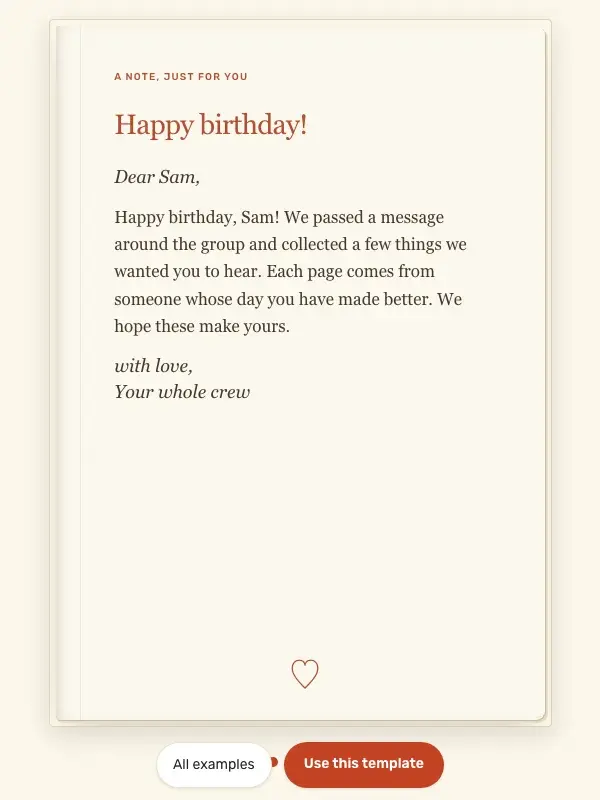
Four separate messages collected by one organizer into a single birthday card. Open it to try the reveal, or use the same starting text and make it your own.
Collect messages by chat or email and paste each one into a note. Contributors do not edit the card themselves. Four notes require the optional Boost upgrade.
Why one link beats the envelope
Every message is its own page
No squeezing a sentence into the last white corner. Each note gets a full page with the writer's name on it, revealed one flip at a time.
Notes can carry more than ink
A message can bring a photo from the holiday party, the GIF that's an inside joke, or a voice note from the person who couldn't be there.
One link, zero logistics
No envelope to route past the birthday person's desk, no lunch window to catch. The finished card is a single link that opens in any browser.
How the group part actually works
- 1
One person starts the card
That's you, probably. Pick the cover, write the opening line, done in two minutes. Nobody else ever needs to log in to anything.
- 2
Collect everyone's messages
Start a group text without the birthday person, or pass your phone around the office or the dinner table. One specific sentence per person beats a paragraph of 'have a great one.'
- 3
Paste each message in as its own note
Every note becomes its own page of the card with the writer's name on it. Add someone's photo or a GIF to any page that earns it.
- 4
Send one link
Text it, email it, drop it in the team channel on the morning of. The birthday person flips through the whole stack, one surprise at a time.
Start with a free design and up to two surprise messages. For a larger collection, Birthday Boost adds more surprises to the same card. The price for your region appears before you pay; contributors do not need their own subscription.
What the birthday person gets
- 1
They tap the link
It opens in the browser on any phone. No app, no account, no instructions.
- 2
They unwrap the card
The cover opens like a wrapped gift; confetti, then the first page.
- 3
They flip through the stack
Each message is its own reveal. Fifteen signers means fifteen little surprises, not one crowded collage.
Common questions
How does everyone sign the card?+
One person runs the card; there's no invite link to send around. You collect the messages however your group already talks (a group text without the birthday person, a Slack thread, passing your phone at lunch) and paste each one in as its own note with the writer's name. On the receiving end it reads exactly like everyone signed: every message gets its own page.
How many people can sign?+
No hard limit; paste in as many notes as you collect. Two fit in a free card. A real group, the whole team or the extended family, goes past the free limit and becomes a Boost card: one flat one-time upgrade for the entire card, whether eight people signed or thirty.
Does everyone need an account?+
No. Only the organizer enters an email at the last step, no password, so the card can be edited later. The people contributing messages never touch the site, and the birthday person just clicks a link. No app anywhere in the chain.
Can each person add a photo, a GIF, or a voice note?+
Yes. A note can be plain text or carry a photo from someone's camera roll, a Giphy GIF, or a short recorded voice note; voice notes are part of Boost, which a group-sized card already is. There are no video uploads, but a thirty-second voice note from the right person lands harder than most videos anyway.
What does it cost compared to group card sites?+
A free design with up to two notes is free. More notes or a premium design need one Birthday Boost upgrade for the card, with the price shown before checkout. Contributors do not pay individually.
Can the birthday person keep the card?+
Yes. The card stays at its link, so they can reopen it and flip through the messages again whenever they want, which is more than the envelope card in the desk drawer can say. Screenshots of favorite pages work too.
More ways to use Birthdaypage

Retire the envelope
Collect the messages, paste each one in as its own page, send one link. No pen required.